

If your business runs on WordPress, the site did not stop needing you the day it went live. It actually just started. This WordPress maintenance guide walks through everything a business owner needs to know about keeping a site fast, secure, and working properly, without the technical jargon that makes most guides harder to read than they need to be.
Most business owners do not think about maintenance until something goes wrong. A plugin update breaks the layout. The contact form quietly stops sending leads. The site slows down and rankings start slipping. None of that has to happen. A little consistent care prevents almost all of it.
Whether you built your site yourself, hired a freelancer, or worked with an agency, this guide will help you understand what WordPress maintenance actually involves, how often it needs to happen, what it costs, and when it makes sense to hand it off to a professional team.
What Is WordPress Website Maintenance Guide?
WordPress maintenance is the ongoing work that keeps your site running the way it did the day it launched, or better. It covers three areas that overlap constantly: technical upkeep, security, and content.
On the technical side, that means updating the WordPress core, your theme, and every plugin installed on the site. On the security side, it means scanning for malware, watching login activity, and keeping backups ready in case something goes wrong. On the content side, it means checking that pages, links, and forms still work the way they should.
None of this is a one-time job. WordPress is open-source software, which means it is constantly patched, updated, and improved by thousands of developers around the world. Every one of those updates has the potential to affect how your site runs. Left unattended long enough, even a well-built website starts to slow down, break, or become a target for attackers.
Why WordPress Needs More Attention Than a Static Website
A lot of business owners assume that once a website is built, it more or less takes care of itself. That assumption tends to hold up fine for a simple, static HTML page that never changes. It does not hold up for WordPress.
WordPress is built on a stack of moving parts: the core database, PHP server-side execution, a theme that controls how the site looks, and usually a dozen or more plugins that each add a specific feature, like a contact form, a booking calendar, or an SEO tool. Every one of those pieces is developed and updated independently, which means they are also capable of conflicting with each other. A plugin update that works perfectly on its own can still break a theme, or clash with another plugin, if nobody tests it first in a controlled environment.
This is not a flaw in WordPress. It is actually part of why WordPress is so flexible and widely used. But that flexibility comes with a trade-off: someone needs to keep an eye on how all those pieces are working together. That is the core reason WordPress maintenance exists as its own category of ongoing work, rather than something you handle once during setup.
Signs Your WordPress Site Needs Maintenance
Sometimes a site does not announce that it needs attention. It just quietly gets worse. A few warning signs worth watching for:
- Pages that take more than three or four seconds to load
- A contact form that has not received a submission in weeks, even though traffic is steady
- Plugin or theme update notifications piling up in the wp-admin dashboard
- Broken images, missing product photos, or layout rendering issues on mobile
- A drop in Google rankings you cannot explain
- No idea when the last backup was taken, or whether it would actually restore
- Login attempts from unfamiliar locations or unusual IPs in your security logs
- A checkout or booking flow that occasionally throws an error at the final step
If two or three of these sound familiar, your site has likely been running without proper maintenance for a while. That is common, and it is fixable, but it is worth addressing before it turns into a bigger problem, especially if the site is responsible for any part of your business revenue.
Core WordPress Maintenance Tasks Every Business Should Handle
To keep your digital presence running seamlessly, a robust maintenance routine must target six fundamental technical pillars:
- Software Updates: Testing and deploying core, theme, and plugin updates safely.
- Disaster Recovery: Creating off-site, automated backups with regular restoration tests.
- Security hardening: Live monitoring, firewalls, brute-force protection, and access control.
- Speed Optimization: Minifying scripts, database tuning, and browser caching.
- Quality Assurance: Scanning for broken links, redirect loops, and crawl errors.
- Database Hygiene: Purging transients, draft revisions, and orphan table entries.
Here is what each of these critical maintenance categories actually involves.
1. Core, Theme, and Plugin Updates
WordPress releases core updates several times a year, and plugin developers release updates constantly, sometimes weekly. Each update can include security patches, bug fixes, or new features. Skipping updates leaves known vulnerabilities exposed, and outdated plugins are consistently the number one reason WordPress sites get hacked.
Updates should never be applied blindly to a live site. The safer approach is to test them on a staging copy first, confirm nothing breaks, then push the changes live. This is one of the biggest differences between a rushed DIY update and a properly managed maintenance process. A staging site is simply a private copy of your website where changes can be tested safely before anything touches the version your customers see.
2. Backups and Disaster Recovery
A backup is the one thing that turns a website disaster into a minor inconvenience. Without one, a failed update, a hosting outage, or a hack can mean starting over from nothing.
A solid backup routine includes automated, scheduled backups stored off-site, not on the same server as the live site, and periodic testing to confirm the backup actually restores correctly. A backup file nobody has tested is not a real safety net. It is worth asking any hosting provider or maintenance team exactly where backups live and how often they are verified, because “we take backups” is not the same as “we know they work.”
3. Security Monitoring and Malware Protection

WordPress powers a large share of the internet, which makes it a constant target for automated attacks. Most of these are not sophisticated hacks aimed at a specific business, they are malicious bots scanning thousands of sites at once, looking for outdated plugins, weak passwords, or unpatched vulnerabilities like XML-RPC exploits.
Security maintenance typically includes firewall protection, malware scanning, login attempt limits, two-factor authentication (2FA) on admin accounts, and an active SSL certificate. Tools like Wordfence and Sucuri are commonly used to monitor this in the background, flagging suspicious file changes or blocking repeated login attempts automatically. Beyond software, it also means reviewing who actually has access to your site. Old employee logins, unused developer accounts, and generic admin credentials are a common, easily avoidable entry point for attackers.
4. Performance and Speed Optimization
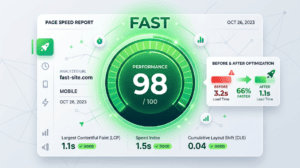
Page speed affects both user experience and search rankings. Google factors loading speed and Core Web Vitals into how it ranks pages, and visitors tend to leave a slow page before it even finishes loading. On mobile, where most traffic now comes from, that effect is even more pronounced.
Speed maintenance includes image compression, caching, database cleanup, and periodically auditing plugins that may be slowing the site down unnecessarily. Every plugin adds some amount of code that has to load, so a site running twenty-five plugins when it only actively uses twelve is carrying weight it does not need. If your site consistently struggles with speed even after cleanup, the root cause is sometimes the theme or hosting itself rather than something maintenance alone can fix. In that case, a proper website design and development refresh may be the better long-term solution. We cover the most common causes in more detail in our guide on why your website might be running slow.
5. Content, SEO, and Broken Link Checks
Search engines favor sites that stay current. Outdated service pages, old pricing, dead links, and stale blog content all send the wrong signal to both visitors and Google. Regular content reviews catch these issues before they quietly hurt your rankings.
This is also where maintenance and SEO overlap. A well-maintained site with clean internal linking and updated content gives your SEO efforts something solid to build on, rather than working against outdated technical issues in the background. Broken links in particular are worth checking on a regular schedule, since pages get deleted, URLs change, and external sites your content links to eventually disappear or move.
6. Database Cleanup and Uptime Monitoring
Over time, WordPress databases accumulate spam comments, post revisions, expired transients (temporary cached options), and leftover data from deleted plugins. A cluttered database slows down SQL queries, affecting even a well-optimized site. Alongside database pruning, uptime monitoring alerts you the moment your site goes offline, rather than leaving you to find out from an angry customer calling to ask why your site won’t load.
7. E-Commerce and WooCommerce-Specific Maintenance
If your WordPress site runs on WooCommerce or processes any kind of payment, maintenance carries extra weight. Product inventory, checkout flows, payment gateways, and shipping plugins all need to be tested regularly, not just after updates but on a routine basis, since a broken checkout page can silently cost sales for days before anyone notices. Payment-related plugins also tend to update more frequently than average, since they need to stay compliant with security and payment industry standards (PCI compliance), which makes staging tests especially important before anything goes live.
How Often Should You Maintain a WordPress Website?
Not every task needs the same level of attention. Here is a realistic maintenance schedule for most small and medium-sized business sites.
|
Task |
Recommended Frequency |
|
Uptime monitoring |
Continuous / Weekly review |
|
Security scans |
Weekly |
|
Contact form and checkout testing |
Weekly |
|
Plugin and theme updates |
Weekly to Monthly |
|
Backup verification |
Monthly |
|
Broken link and 404 check |
Monthly |
|
Analytics and Search Console review |
Monthly |
|
Full SEO and content audit |
Quarterly |
|
Mobile usability and Core Web Vitals check |
Quarterly |
|
User account and access audit |
Quarterly |
For a deeper breakdown of individual tasks, our website maintenance checklist walks through each one step by step.
DIY vs. Hiring a Professional WordPress Maintenance Service
Some business owners are comfortable handling basic updates themselves. Others would rather hand it off entirely. Both can work, depending on the situation.
|
Feature |
DIY Maintenance |
Professional Maintenance Service |
|
Best for |
Simple sites, tech-comfortable owners |
Growing businesses, e-commerce, booking sites |
|
Time required |
2–5 hours per month |
Zero, fully handled |
|
Risk of downtime |
Higher without staging tests |
Lower, updates tested first |
|
Security monitoring |
Manual, easy to forget |
Automated and continuous |
|
Response if something breaks |
Depends on your own skill level |
Fast, professional response |
|
Cost |
Free, aside from premium tools |
Monthly fee, typically $50–$500 |
If your website generates leads, processes payments, or represents your business’s first impression to new customers, the time saved and risk avoided by outsourcing usually outweighs the monthly cost. Our guide on website maintenance cost in Calgary breaks down pricing tiers in more detail.
🛠️ Is Your Business Site Safe and Up-to-Date right now?
Don’t wait for a broken plugin or a sudden security leak to take your business offline. Clear Solutions Technology provides hands-off, staging-tested WordPress maintenance plans so you can focus on running your business while we keep your website secure, blazing fast, and conversion-ready.
[Get a Free Website Maintenance Audit Today]
What Does WordPress Maintenance Cost?
Pricing varies based on the size of your site, how often it changes, and your security needs, but most small business plans fall into three general tiers:
- Basic plans ($50–$150/month): core updates, monthly backups, basic security monitoring
- Standard plans ($150–$300/month): weekly backups, speed optimization, technical SEO checks, a set number of monthly content updates
- Full-service plans ($300–$500+/month): daily backups, priority support, conversion tracking, and ongoing website management
It is worth comparing this against the cost of skipping maintenance altogether. A hacked WordPress site can cost several hundred to over a thousand dollars to recover, not counting the lost leads while the site is down or ranking recovery once Google flags it as unsafe.
Common WordPress Maintenance Mistakes to Avoid
- Updating plugins directly on the live site without testing on staging first
- Storing backups on the same database server as the live website, which means a server failure takes both the site and the backup down together
- Ignoring update notifications for months at a time until they pile up into dozens of overdue changes
- Running too many active plugins, which increases both security risk and overall load times
- Never checking analytics, which means missed traffic drops or crawl errors go unnoticed until they have already affected organic rankings
- Assuming security is a one-time setup rather than ongoing, active monitoring
- Choosing the cheapest possible hosting, which often comes with slower servers and weaker security infrastructure
Our full website security guide covers these risks in more depth if security is your main concern.
How to Choose the Right WordPress Maintenance Partner
Before signing up with any provider, ask a few direct questions:
- What exactly is included in the monthly plan?
- Are updates tested on a staging site before going live?
- Where are backups stored, and how often are they tested?
- What is the average response time if something breaks?
- Do you provide monthly reports on what was done?
- Is there a long-term contract, or can I cancel month to month?
Vague answers to any of these are worth treating as a warning sign. A good maintenance partner should be able to answer all six clearly and confidently, without redirecting you to a generic support ticket system.
Real Example: What Happens Without Maintenance
One of the businesses we support, City Wide Courier, came to us dealing with unpredictable downtime, a contact form that had quietly stopped working, and a loading speed problem that was hurting their visibility in Google. None of these issues were dramatic on their own, but together they were costing the business leads without anyone noticing right away.
Once they moved to a consistent monthly maintenance routine, those problems stopped resurfacing. Their site now runs faster, stays secure, and does not require them to think about the technical side at all. It is a fairly typical example of how small, unmanaged issues quietly add up over time when a WordPress site is left on its own.
How Clear Solutions Technology Supports WordPress Maintenance
At Clear Solutions Technology, our website maintenance service is built around the same categories covered in this guide: updates, security, backups, performance, and content health, handled consistently every month rather than reactively after something breaks.
We also work closely with our website design and development and SEO teams, so maintenance is never treated as an isolated task. If a speed issue points to a deeper design problem, or a technical issue is affecting your search visibility, that gets flagged and addressed as part of the same conversation rather than passed off to a different provider.
Serving Calgary and Surrounding Areas

Most of the businesses we support are based in Calgary, but the same maintenance needs come up constantly across the surrounding region, including Airdrie, Cochrane, Okotoks, Chestermere, and Strathmore. Whether you run a service business downtown or operate out of a smaller community nearby, a WordPress site facing local customers needs the same core care: fast load times, working contact forms, and rankings that hold up against other local competitors in Google’s local pack and organic results.
Local businesses in particular tend to rely on their website for a steady stream of nearby customers searching for exactly what they offer. A slow or outdated site does not just lose visitors, it quietly loses the local search visibility that took time to build in the first place. If local visibility is a priority alongside maintenance, our local SEO guide for Calgary small businesses covers how the two work together.
Final Thoughts
WordPress maintenance is not a technical luxury. It is the ongoing work that keeps a business website doing its job: loading fast, staying secure, and converting visitors into customers. The businesses that treat maintenance as routine rarely deal with the downtime, security scares, or ranking drops that catch everyone else off guard.
If you are not sure how well your current site is being maintained, or if it has been a while since anyone checked, that is worth finding out sooner rather than later. Reach out to Clear Solutions Technology for a free website review, and we will tell you exactly where your site stands and what, if anything, it needs.