

Pick the wrong stack and you’ll feel it for years. Hiring gets harder. Every new feature takes twice as long. One day someone says, “We should probably rebuild this.”
That’s why knowing how to choose the right tech stack for your web application matters before a single line of code gets written. The decision sets your budget, your timeline and how easily you can grow.
The good news: you can make a smart call without being a developer. It helps to know which questions to ask.
Here’s how I’d work through it, from the first requirements list to a simple scorecard you can use with your team or an agency.
What a web application tech stack actually includes
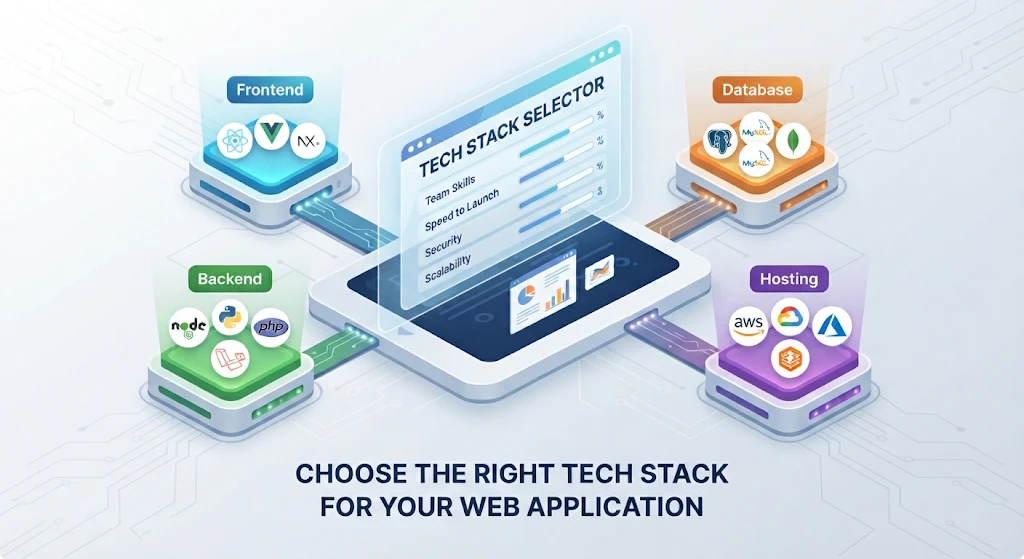
A tech stack is the set of tools your app is built on. Think of a house. The frontend is the rooms people walk through. The backend is the wiring and plumbing. The database is the storage. Hosting is the land it all sits on.
|
Layer |
What it does |
Common examples |
|
Frontend |
Everything users see and click |
React, Vue, Angular, HTML and CSS |
|
Backend |
Logic, logins and data handling |
Node.js, Python with Django, PHP with Laravel, .NET |
|
Database |
Stores your information |
PostgreSQL, MySQL, MongoDB |
|
Hosting and infrastructure |
Where the app runs |
AWS, Google Cloud, Azure, managed hosting |
|
Supporting tools |
Testing, deployment and monitoring |
Git, automated deployment, error tracking |
When people talk about a web application tech stack, they mean all of these layers working together. Choose each one separately and you end up with parts that don’t fit.
Start with what the app has to do
Open a document before you open a framework’s website. Answer these six questions in plain language:
- Who is the app for and what problem does it solve?
- How many users do you expect in year one? In year three?
- How fast do you need to launch?
- What’s your budget for building the app and for running it afterward?
- Does it handle sensitive data such as payments, health records or personal details?
- Which other tools must it connect to, such as accounting software, email, a CRM or a payment processor?
Keep the answers short. They drive every decision that follows.
A booking tool for 200 customers and a marketplace for 200,000 need very different foundations. A stack that suits one can sink the other.
Six factors that decide the right stack
With your answers in hand, weigh each option against these.
1. Project type and complexity
A marketing site, a customer portal and a real-time chat tool each lean on different tools. Content-heavy sites need strong search visibility. Dashboards need fast data handling. Live features such as chat or tracking need technology built for constant updates.
2. Your team’s skills and the hiring pool
The best stack on paper loses to the one your developers already know. Check how easy it is to hire for each option too. The Stack Overflow Developer Survey shows which languages and frameworks developers actually use, which gives you a feel for how many people you can recruit.
3. Speed to market vs long-term growth
Some frameworks ship with login, admin panels and database tools built in. They get you to launch quickly. Others give you more freedom and take longer to set up. Match the choice to your timeline and be honest about how big the app will get.
4. Budget and total cost
Look past the licence price. Count hosting, developer rates and ongoing upkeep. A cheap stack with scarce developers can cost more than a popular one with a deep talent pool.
5. Security and compliance
Mature frameworks come with protections against common attacks, as long as someone keeps them updated. If you handle payments or personal data, check the rules that apply to your industry. Our website security guide covers the basics any stack should meet.
6. Maintenance and community support
Pick technology with an active community, regular releases and plenty of documentation. When something breaks at 9 p.m. on a Friday, you want answers one search away.
Popular tech stacks compared
There’s no single winner. Each of these works well for the right project.
|
Stack |
Typical parts |
Best for |
Watch out for |
|
MERN |
MongoDB, Express, React, Node.js |
Interactive apps and MVPs built in one language |
No built-in admin panel and loose data structure if the team isn’t disciplined |
|
Next.js with PostgreSQL |
Next.js, Node.js, PostgreSQL |
Fast, search-friendly sites and apps |
The ecosystem moves quickly, so pin your versions |
|
LAMP or LEMP |
Linux, Apache or Nginx, MySQL, PHP |
Content sites plus WordPress and Laravel apps |
Older codebases get messy without coding standards |
|
Django |
Python, Django, PostgreSQL |
Data-heavy apps, dashboards and admin tools |
Interactive screens often need a separate frontend |
|
Ruby on Rails |
Ruby, Rails, PostgreSQL |
Quick MVPs that follow strong conventions |
A smaller hiring pool than JavaScript or Python |
|
.NET |
C#, ASP.NET, SQL Server |
Enterprise teams already on Microsoft tools |
Licence and hosting costs add up |
MERN vs LAMP stack
People ask about this pair a lot, because they come from different eras.
MERN runs JavaScript from the browser to the database. One language means smaller teams can cover more ground. It suits interactive apps with lots of screens and live updates.
LAMP is the old reliable. PHP hosting is everywhere and cheap. WordPress runs on it. It suits content-driven sites and straightforward business apps.
If your app is mostly pages and forms, LAMP is plenty. If it’s mostly interaction, MERN or Next.js usually fits better.
Choosing your frontend, backend, database and hosting
Once you know the stack family, these are the choices inside it.
Frontend frameworks
React has the biggest ecosystem and the largest pool of developers. Vue is friendlier to learn. Angular brings more structure, which helps on large teams.
If search traffic matters, add Next.js or a similar framework that renders pages on the server. Search engines read those pages more easily. Our website design and development team works with WordPress and custom Next.js builds.
Backend languages
- Node.js: one language across the whole app and a good fit for live features
- Python: strong for data work and automation. Django ships with plenty of built-in tools
- PHP: cheap hosting everywhere, with Laravel for structured apps
- .NET: a favourite in enterprise settings
The best backend language is usually the one your team already writes well.
Databases
PostgreSQL is a safe default for most business apps. MySQL is just as common. MongoDB suits flexible, document-style data.
A quick rule of thumb
Money, orders and bookings belong in a relational database, because those records have strict rules and connections. Choose a document database when your data shape changes often and has few links between records.
Hosting
Managed cloud platforms are the easiest to run. Serverless suits traffic that spikes and then goes quiet. A virtual private server costs less and needs more hands-on care.
If you serve Canadian customers, check where the provider stores data. Some clients need it kept in Canada.
Tech stack for startups vs established businesses
Your stage changes the answer.
Startups: favour speed and flexibility
When you’re racing to launch an MVP, the right tech stack for startups is usually the popular, well-documented one. Developers are easy to find. Tutorials exist for every problem. Hosting is cheap.
Skip complex setups like microservices until real traffic demands them. Expect to rework parts of the app after your first year. That’s normal.
Small and established businesses: favour reliability
You already have customers and systems. Your app has to connect to accounting software, email and maybe a CRM. Pick proven technology with predictable costs and plenty of people who can maintain it.
Boring is a compliment here.
First, check that you need a web app
Before you commit to any stack, make sure a web app is the right product. Our comparison of web app vs mobile app walks through the trade-offs, so you don’t build the wrong thing on the right foundation.
A simple scorecard to compare your options
When two stacks both look good, a scorecard breaks the tie.
- List five to seven criteria that matter to you.
- Give each a weight from 1 to 5.
- Score each stack from 1 to 5 on every criterion.
- Multiply score by weight and add it up.
Here’s an example for a booking app, where the team already knows PHP:
|
Criterion |
Weight |
Next.js and PostgreSQL |
Laravel and MySQL |
|
Team skills |
5 |
3 |
5 |
|
Speed to launch |
4 |
4 |
5 |
|
Hiring pool |
3 |
5 |
4 |
|
Cost to run |
3 |
4 |
5 |
|
Security tooling |
4 |
4 |
4 |
|
Room to grow |
3 |
5 |
3 |
|
Weighted total (max 110) |
89 |
97 |
Laravel wins here mostly because of the team’s skills. Change the team and the result flips.
Treat the scores as a conversation starter. If two stacks land within about 10 percent of each other, pick the one your team is more excited to work with.
Mistakes to avoid when choosing a tech stack
These show up again and again.
- Chasing the newest framework. Hype fades. The documentation and the developers fade with it.
- Over-engineering from day one. Microservices and container clusters for an app with 100 users create work without creating value.
- Letting the agency choose whatever it already sells. Ask why that stack fits your project. Ask what the alternatives were too.
- Ignoring the hiring pool. An obscure language can leave you stuck when your only developer leaves.
- Skipping performance planning. Slow pages lose visitors. The stack is sometimes part of the cause. Our list of common causes of a slow website shows what to watch for.
- Forgetting about upgrades. Frameworks release new versions every year. Budget time to keep up so you don’t fall five versions behind.
Three typical setups and why they work
These are common patterns I’d expect to see for each kind of project.
A booking and quoting app for a home services company
Stack: Laravel, MySQL and managed hosting.
The team already knows PHP. Hosting is cheap. The app launches fast and handles a few hundred customers without drama.
A marketplace MVP for a startup
Stack: Next.js, Node.js and PostgreSQL on a managed cloud platform.
One language covers the whole app. Pages render for search engines. The developer pool is large, so the first hires come easily.
An internal CRM for a 15-person firm
Stack: Django and PostgreSQL.
Django’s built-in admin saves weeks. Relational data suits deals, jobs and contacts. If you’re weighing a build like this, our piece on how a custom CRM and workflow automation agency works shows what the process looks like.
Questions to ask your development team
Working with an agency or freelancer? Put these on the table before you sign:
- Why this stack for my project? What else did you consider?
- How easy is it to find other developers who know it?
- Who owns the code and the hosting accounts?
- What will updates and security patches cost each year?
- How does it handle growth? What would break first?
- What happens if we stop working together? Can another team pick it up?
Good answers are specific. Vague ones are a warning.
Ask about upkeep too. Our website maintenance team handles updates, backups and security so your stack stays healthy after launch.
Conclusion: choose for your project, then commit
How to choose the right tech stack for your web application comes down to fit. Match your goals, your team and your budget, then pick the most boring option that does the job.
Before you decide, write down your six answers and run the scorecard on your top two stacks. It takes an hour and can save months.
Want an experienced team to help you choose? Talk to our software development team about your web application.