

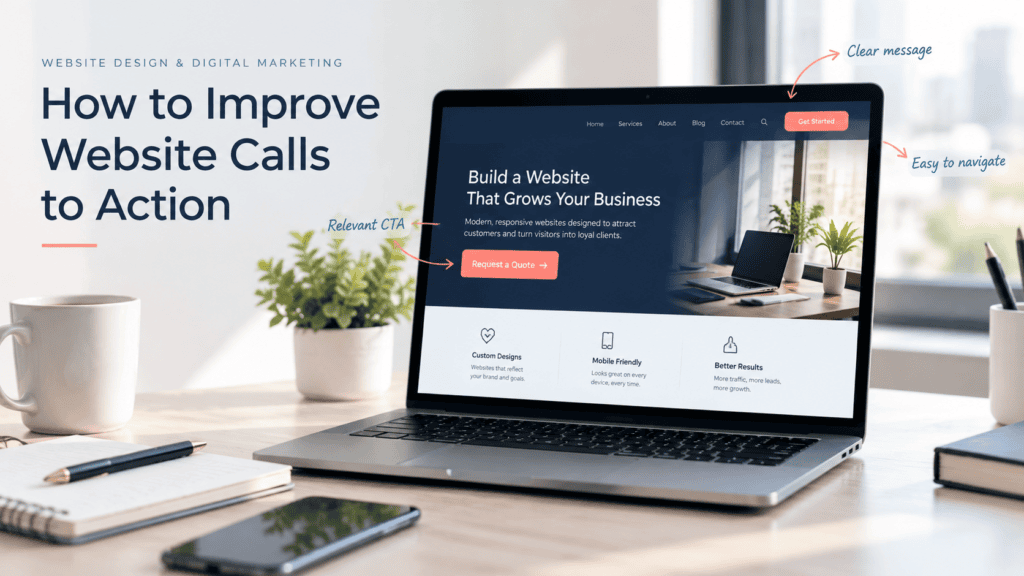
Your website might have useful information, good design and steady traffic but still fail to generate enquiries. Sometimes the problem is simple. Visitors do not know what to do next.
A call to action (CTA) guides people towards the next step. It could be a button asking them to request a quote, book a consultation, call your business or fill out a contact form.
The wording, placement and design of that button can affect whether someone takes action or leaves the page. Small changes can make the process clearer for visitors.
In this guide, you will learn how to improve website calls to action with practical examples that work for service businesses and other websites.
What Is a Call to Action on a Website?
A call to action is a message that encourages visitors to complete a specific action. It often appears as a button or text link but it can also be part of a form or banner.
Common website CTA examples include:
- Get a Free Quote
- Book a Consultation
- Contact Our Team
- Call Us Today
- View Our Services
- Download the Guide
The best CTA depends on what visitors want and what your business wants them to do. A service business may want more quote requests while an online store may focus on product purchases.
A clear CTA gives visitors a direct next step instead of leaving them to figure out what to do on their own.
1. Use Clear and Specific CTA Button Text
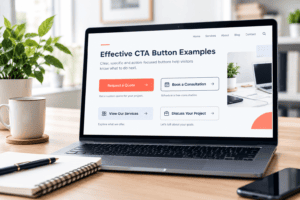
One of the easiest ways to improve a CTA is to change the button wording.
Generic labels such as “Click Here” or “Learn More” do not always explain what happens next. Visitors should be able to understand the purpose of a button without guessing.
For example, a web design company could use “Request a Website Quote” instead of a general “Submit” button. The first option tells visitors what they can expect from the action.
Try to use short and direct wording. Your button does not need a full sentence to explain its purpose.
Here are some examples:
|
Generic CTA |
More specific CTA |
|
Submit |
Send My Enquiry |
|
Click Here |
View Our Services |
|
Contact |
Contact Our Team |
|
Learn More |
Explore Website Packages |
|
Get Started |
Request a Free Quote |
Use language that matches the page and the action. If visitors are reading about a specific service, make the CTA relevant to that service.
2. Give Each Page One Main CTA
A page can have several actions but too many competing buttons may make the next step less obvious.
Imagine a service page with buttons for booking a call, downloading a guide, reading a blog and requesting a quote. Visitors may struggle to decide which action matters most.
Choose one primary CTA based on the purpose of the page. You can still include secondary links where they help visitors find more information.
For example, a website design service page might use “Request a Website Quote” as the main CTA. A secondary option could let visitors view previous projects.
Your CTA should also match the visitor’s stage in the buying process. Someone who is comparing services may prefer to view your work before making an enquiry.
If your own website needs a clearer structure, our website design services in Calgary can help create a layout that makes important actions easier to find.
3. Place CTAs Where Visitors Are Ready to Act
Button placement matters because visitors may not read every word on a page.
Place your main CTA near the beginning of the page so visitors can find it without scrolling too far. Then consider adding another CTA after a section that explains your service, benefits or process.
For a long service page, useful CTA locations may include:
- Near the top of the page after the main heading
- After a section explaining the service benefits
- Below testimonials or customer reviews
- After pricing or package information
- At the end of the page
Avoid adding buttons after every short paragraph. Too many repeated prompts can make a page feel pushy.
Think about the questions visitors need answered before they are ready to contact you. Put the CTA near the point where those questions have been addressed.
Your homepage also needs a clear path for visitors. Read more about website homepage design to understand how page structure and content can guide people towards the next step.
4. Make Your CTA Button Stand Out
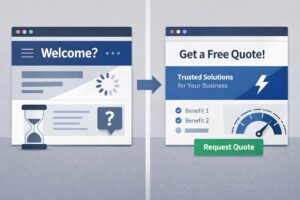
A CTA should be easy to spot without taking attention away from the rest of the page.
Use enough contrast between the button and its background. If your website uses a white background, a strong brand colour may help the CTA stand out. Make sure the button text is also readable.
Keep these design points in mind:
- Use a button colour that contrasts with the surrounding section.
- Make the text large enough to read comfortably.
- Leave space around the button.
- Use a clear button shape and consistent styling.
- Avoid placing several equally prominent buttons next to each other.
The design should feel like part of the website rather than an unrelated advertisement.
It is also worth checking your CTA on different screen sizes. A button that looks clear on a desktop monitor may be harder to notice on a mobile phone.
5. Explain What Visitors Get by Clicking
People are more likely to take action when they understand the benefit and know what will happen next.
Instead of asking visitors to “Get Started” without any context, explain the value of taking that step.
For example:
CTA: Request a Free Quote
Supporting text: Tell us about your project and we will discuss your website requirements.
The supporting text reduces uncertainty. Visitors know what information they need to provide and what the next step involves.
Be honest about the offer. Do not use wording such as “Free Consultation” if the consultation is paid or add promises that your business cannot guarantee.
If you offer several services, make sure the CTA and supporting message match the service being discussed. This helps visitors feel that they are in the right place.
6. Reduce Friction Around Your CTA
Even a well-designed button may not generate enquiries if the process after clicking it is difficult.
For example, a visitor might click “Request a Quote” but find a form with too many fields. They may decide that completing it takes more effort than expected.
Review the full journey from clicking the CTA to completing the action.
You can start with these improvements:
- Ask only for the information you actually need.
- Use clear labels for every form field.
- Explain which fields are required.
- Make error messages easy to understand.
- Confirm when a form has been submitted successfully.
- Tell visitors what happens after they contact you.
For many service businesses, a name, email address and short project description may be enough for the first enquiry. The exact fields will depend on your business and how you handle leads.
Also check that every CTA button leads to the correct page or opens the intended form. A broken link or form error can prevent an interested visitor from becoming a lead.
Regular checks can help identify these problems. Our website maintenance services can help businesses keep their websites updated and functioning properly.
7. Make CTAs Easy to Use on Mobile
Many visitors browse websites on their phones. If your CTA is difficult to tap or the form is awkward to complete on a small screen, you could lose potential enquiries.
Check your main pages on an actual mobile device as well as through your browser’s mobile preview.
Pay attention to the following details:
- Buttons should be large enough to tap comfortably.
- Text should remain readable without zooming.
- Buttons should have enough space around them.
- Forms should be easy to complete on a phone.
- Important actions should not be hidden behind unnecessary elements.
- The page should load and respond without frustrating delays.
Avoid placing multiple small buttons close together. Visitors may accidentally tap the wrong option.
The technical side matters too. Your buttons, forms and responsive layouts need to work correctly across different devices. Our professional web development services can help businesses build functional websites that support a better user experience.
8. Add Trust Signals Near Important CTAs
Visitors may hesitate to contact a business if they are unsure whether it is reliable.
Trust signals can help answer those concerns before someone takes action. Depending on your business, these may include customer reviews, testimonials, relevant certifications, examples of completed work or a clear explanation of your process.
Place useful trust information near the CTA when it helps visitors make a decision.
For example, below a “Book a Consultation” button, you could explain what the consultation covers. Near a quote request button, you might mention how your team handles enquiries.
Keep the information genuine. Avoid fake testimonials, unsupported claims or guarantees that your business cannot fulfil.
If visitors still hesitate after seeing your CTA, review the surrounding content. They may need more information about pricing, timelines, service details or what happens after they submit the form.
9. Ways to Improve Website Calls to Action
You cannot know whether a CTA is working well just by looking at its design. You need to check how visitors interact with it.
Start by recording a baseline. How many people visit the page? How many click the CTA? How many complete the form or take the intended action?
Then test one meaningful change at a time. You might compare different button wording, move the CTA higher on the page or simplify the form.
Useful measurements include:
- CTA click rate: The percentage of relevant visitors who click the button.
- Form completion rate: The percentage of people who complete the form after starting it.
- Conversion rate: The percentage of visitors who complete your chosen goal.
- Qualified enquiries: The number of enquiries that are relevant to your business.
A high click rate does not always mean the CTA is successful. If people click the button but do not finish the form, the problem may be on the next page or within the form itself.
Google Analytics can help you track meaningful website actions. Read the official Google Analytics guidance on key events to learn how important actions can be measured.
Make sure tracking is configured correctly before drawing conclusions. For reliable comparisons, allow enough traffic and time for the results to be meaningful.
Effective Call to Action Examples for Service Businesses
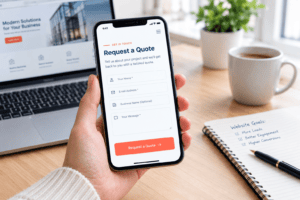
The right wording depends on the service you provide and what you want visitors to do next.
Here are some examples you can adapt to your website.
|
Business goal |
CTA example |
Supporting message |
|
Generate project enquiries |
Request a Free Quote |
Tell us about your project requirements. |
|
Book a meeting |
Schedule a Consultation |
Choose a suitable time to discuss your needs. |
|
Encourage phone calls |
Call Our Team |
Speak with us about your requirements. |
|
Promote a service |
Explore Our Services |
Find the service that fits your business. |
|
Collect contact details |
Send an Enquiry |
Share a few details and we will get back to you. |
|
Showcase previous work |
View Our Projects |
See examples of our completed work. |
Do not copy every CTA onto every page. Choose the action that makes sense for the page and your business goals.
For example, a contact page may focus on submitting an enquiry while a portfolio page may encourage visitors to view completed projects before contacting you.
Why Your Website May Still Get Traffic but Few Enquiries
A weak CTA is only one possible reason a website may fail to generate leads.
Visitors may also leave because the page does not answer their questions, the service offering is unclear, the website feels difficult to use or the contact process is too complicated.
If your website attracts visitors but does not generate enough enquiries, read our guide on why your website gets traffic but no leads. It covers other areas worth reviewing alongside your CTAs.
Look at the whole visitor journey rather than changing button colours alone. Your page content, service information, credibility, loading speed and contact process all play a role in helping visitors decide whether to contact your business.
If the overall layout is outdated or makes important information difficult to find, a broader review may be useful. Our website redesign services in Calgary can help address design and usability issues that affect the visitor experience.
Website CTA Checklist
Use this checklist when reviewing your website’s main calls to action.
- The main CTA describes a clear action.
- The button text explains what visitors can expect.
- Each page has an obvious primary CTA.
- The button appears where visitors are likely to need it.
- The button stands out against the page background.
- Supporting text explains the benefit or next step.
- The contact form asks only for necessary information.
- Buttons and forms work on desktop and mobile.
- Trust information is available where visitors need reassurance.
- CTA clicks and completed enquiries are tracked.
- The CTA leads to the correct destination.
Review the checklist across your most important service pages first. Fix broken actions and unclear forms before spending time on smaller design changes.
Final Thoughts
Improving website calls to action starts with making the next step clear. Use specific button wording, place CTAs where visitors need them and explain what they can expect after clicking.
Then check the full process. Make sure your buttons work, your forms are easy to complete and your website is usable on mobile devices. Track meaningful actions so you can see which changes help generate more enquiries.
If your website needs help with design, development, maintenance or search visibility, explore Clear Solutions’ website services in Calgary to learn more about the available options.