

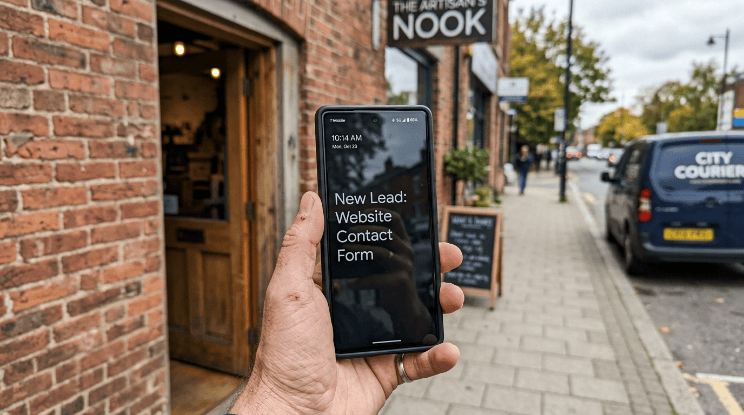
Your website gets visitors. It just doesn’t turn them into leads.
That’s the most common complaint we hear from business owners across Calgary. Traffic is fine. Sometimes traffic is great. But the phone doesn’t ring, the contact form sits empty and nobody books a call.
If you want to generate leads from your website, the fix usually isn’t more traffic. It’s what happens once someone lands on your page. A visitor who leaves without taking action was never really a lead to begin with. They were just a number in Google Analytics.
We’ve rebuilt this process for over 150 businesses since 2011. The pattern repeats itself almost every time. Small, specific changes move the needle more than a full redesign ever does. Here’s what actually works.
The real reasons you don’t generate leads from your website
Three things usually break a website’s ability to convert.
The homepage doesn’t say what you do, clearly, in the first five seconds. Visitors bounce before they even scroll.
There’s no obvious next step. No button, no form, no phone number that’s easy to find. Just information, sitting there.
And the site was built for the business owner, not the customer. It talks about “our mission” and “our values” instead of solving the problem the visitor actually has.
Fix those three things and you’ll see leads increase before you spend another dollar on ads or SEO. We’ve broken this down in more detail if you want to see how Calgary businesses are generating leads online, but let’s get into the specifics here.
Build a website that’s designed to convert, not just look nice
A pretty website and a website that generates leads are two different projects. Plenty of businesses have the first one and wonder why it doesn’t do the second.
Conversion-focused design means every page has a job. The homepage introduces you and points visitors somewhere. The service pages answer objections. The contact page removes friction instead of adding it.
If your current site was built five or more years ago, it’s probably working against you without you realizing it. Old layouts, slow load times and outdated calls to action quietly cost you leads every single day. This is exactly the kind of problem a proper website redesign is meant to fix, not just aesthetics.

Fix your homepage first
Your homepage carries the most traffic and the least patience. Visitors decide whether to stay within seconds.
State what you do in one sentence, near the top, above the fold. Skip the clever tagline. Say the thing plainly.
Add one main call to action. Not five competing buttons. One. “Book a Free Call” works better than a homepage cluttered with “Learn More,” “Contact Us,” and “Read Our Story” all fighting for attention.
We’ve written more about what actually makes a homepage convert, including layout examples that hold up across industries.
Make it mobile-friendly, because most of your traffic already is
Over half of website traffic now comes from phones. If your site is hard to read, hard to tap, or slow to load on mobile, you’re losing leads before they ever reach your form.
Test your own site on your phone right now. Can you find your phone number in one tap? Does the contact form load without zooming in? If the answer is no, that’s a lead generation problem, not a design preference.
Use SEO to attract the right people, not just more people
Traffic without intent doesn’t convert. Someone searching “what is a website” isn’t ready to hire you. Someone searching “web design company near me” is.
SEO for lead generation means targeting the second group on purpose, instead of chasing broad keywords that bring in volume but not buyers. That’s the core of how we approach SEO for clients, targeting intent over traffic volume.
Local SEO matters if you serve a specific area

If your customers come from a specific city or region, ranking locally matters more than ranking nationally. Someone searching “plumber Calgary” wants a plumber in Calgary, not a general resource about plumbing.
Fill out your Google Business Profile completely, build local citations and target city-specific keywords across your service pages. We walk through this whole process in our local SEO guide for Calgary small businesses.
Write content for people who are close to buying
Blog posts that answer “how much does X cost” or “what should I look for in X” tend to convert better than broad educational content. They match what someone searches when they’re actually comparing options.
Build a handful of these pages around your core services. They quietly bring in qualified leads long after you publish them, without needing constant ad spend to keep working.
Give visitors a clear next step, every single time
A lead generation page without a clear call to action is just a brochure. It informs me. It doesn’t convert.
Every page on your site should answer one question for the visitor: what do I do next? Book a call. Request a quote. Download a guide. Pick one action per page and make it obvious.
A few things that consistently improve form and CTA performance:
- Keep contact forms short. Name, email, phone and one qualifying question is usually enough. Every extra field reduces completions.
- Use specific button text. “Get My Free Quote” outperforms “Submit” almost every time.
- Place your CTA above the fold and repeat it further down the page for longer content.
- Add your phone number in the header, not buried in a footer.
None of this is complicated. It’s also the part most websites skip.
We see this pattern often during audits. A service page has three buttons stacked at the top, something like “Contact Us,” “Our Services” and “About Our Team,” all competing for the same click. Trim that down to one clear action, like “Get a Free Quote,” and move it above the fold. That single change alone tends to lift form submissions without adding a single new visitor to the page.
If your site could use a second look, book your free strategy call and we’ll point out exactly where visitors are dropping off.
Build trust before you ask for a lead
People don’t hand over their contact information to a business they don’t trust yet. Trust signals do a lot of quiet work on a lead generation page.
Reviews are the fastest form of trust you can build. A visitor comparing three companies will almost always lean toward the one with more reviews, especially recent ones. If you haven’t set up a system to collect them consistently, start by understanding why reviews carry so much weight for local businesses.
Your Google Business Profile does similar work before someone even reaches your website. A complete, active profile with photos, accurate hours and recent posts signals that you’re a real, active business. We put together a full walkthrough for getting your profile set up right if you haven’t touched yours in a while.
Add testimonials, client logos, or before-and-after photos directly on your service pages too. Trust signals work best when they sit right next to the CTA they’re supporting, not buried on a separate “reviews” page nobody visits.
Offer something worth trading an email for
Not every visitor is ready to book a call today. Some want to research first. A lead magnet gives you a way to capture that interest instead of losing it.
This could be a downloadable checklist, a pricing guide, a short email course, or an industry-specific resource. It doesn’t need to be complicated. It needs to solve a small, specific problem your ideal customer already has.
Gate it behind a simple email form, then follow up with a short nurture sequence. This turns a “maybe later” visitor into a warm lead you can reconnect with instead of one you never hear from again.
Talk to visitors while they’re still on the page

A lot of leads are lost in the gap between “I have a question” and “I’ll fill out the contact form later.” Later rarely happens.
Live chat or a simple chatbot closes that gap. Even a basic setup that answers common questions and offers to book a call captures leads that would otherwise bounce. For service businesses especially, this small addition often pays for itself within the first month.
It doesn’t need to be a full-time person watching a chat window either. Most tools let you set up automated responses for common questions like pricing ranges or service areas and hand off to a real person only when someone’s ready to talk. That’s usually enough to catch the visitor who would have left instead of waiting for a callback.
Don’t let visitors leave for good
Most people don’t convert on their first visit. That’s normal. What matters is what happens after they leave.
Retargeting ads bring those visitors back with a reminder, a testimonial, or an offer, based on the specific pages they viewed. Someone who looked at your pricing page but left is a much warmer retargeting target than someone who bounced from your blog.
Email follow-ups work the same way for anyone who filled out a partial form or downloaded a resource. A short sequence, three or four emails spaced a few days apart, keeps you top of mind without feeling pushy. This kind of follow-up system is a core piece of what we build into digital marketing campaigns so leads don’t just disappear after one visit.
None of this needs to be complicated or expensive to start. A basic retargeting campaign on Google or Meta, combined with a simple three-email sequence, catches a meaningful share of visitors who would otherwise be gone for good.
Respond fast, or lose the lead anyway
You can do everything above correctly and still lose the lead in the final step: response time.
Speed matters more than most businesses realize. HubSpot’s 2026 State of Marketing research found that B2B companies responding to a new inquiry within 5 minutes are significantly more likely to convert that lead than companies that wait even an hour.
Set up instant email or text notifications for new form submissions. If you can’t respond immediately, an automated reply confirming you received the inquiry and stating when you’ll follow up keeps the lead warm instead of letting it go cold.
Mistakes that quietly kill website leads
A few patterns show up again and again when we audit underperforming websites.
Contact forms with too many required fields. Every extra field you add cuts your completion rate, sometimes significantly.
Slow page speed. A page that takes more than a few seconds to load loses a meaningful share of visitors before it even finishes rendering, especially on mobile.
No clear pricing information. Not every business needs to post exact pricing, but total silence on cost often pushes visitors to a competitor who at least gives a starting range.
Outdated content. A blog that hasn’t been published in two years, or service pages that mention services you no longer offer, quietly erodes trust.
Generic stock photography. It’s a small thing, but real photos of your team, your work, or your location build more trust than a stock image of people in a boardroom who’ve never set foot in your business.
Quick wins versus long-term lead generation
Not every fix takes the same amount of time to pay off. It helps to know which changes move fast and which ones build slowly in the background.
|
Strategy |
Typical timeline |
Effort required |
|
Fixing CTAs and forms |
Days to weeks |
Low |
|
Adding live chat |
Days |
Low |
|
Building trust signals (reviews, profile) |
Weeks |
Medium |
|
Local SEO |
3 to 6 months |
Medium to high |
|
Content and blog SEO |
3 to 12 months |
High |
|
Retargeting and email follow-up |
Weeks |
Medium |
Start with the low-effort, fast-payoff items first. They fund the longer-term work, both in confidence and in budget, once you start seeing results.
Track what’s actually working
You can’t improve what you don’t measure. At minimum, track where your leads come from, which pages they converted on and what happens to them after the form submission.
Google Analytics and Google Search Console cover the traffic side. A simple CRM, even a basic one, tracks what happens once a lead enters your pipeline. Without this, you’re guessing which parts of your website and marketing are actually paying off.
Review these numbers monthly, not once a year. Small adjustments based on real data compound over time in a way that a one-time redesign never will.
Final thoughts
Generating leads from your website comes down to a handful of things done well: a homepage that’s clear, a fast and mobile-friendly site, SEO that targets buyers instead of browsers, trust signals that back up your claims and a fast response when someone does reach out.
None of it requires reinventing your business. It requires fixing the specific gaps that are currently costing you leads without you noticing.
Ready to turn your website into a lead-generating asset?
You don’t have to guess where visitors are dropping off. We’ll look at your site, tell you exactly what’s costing you leads, and show you how to fix it.
Call us at 1-888-871-5557 and let’s get your website working as hard as you do.