

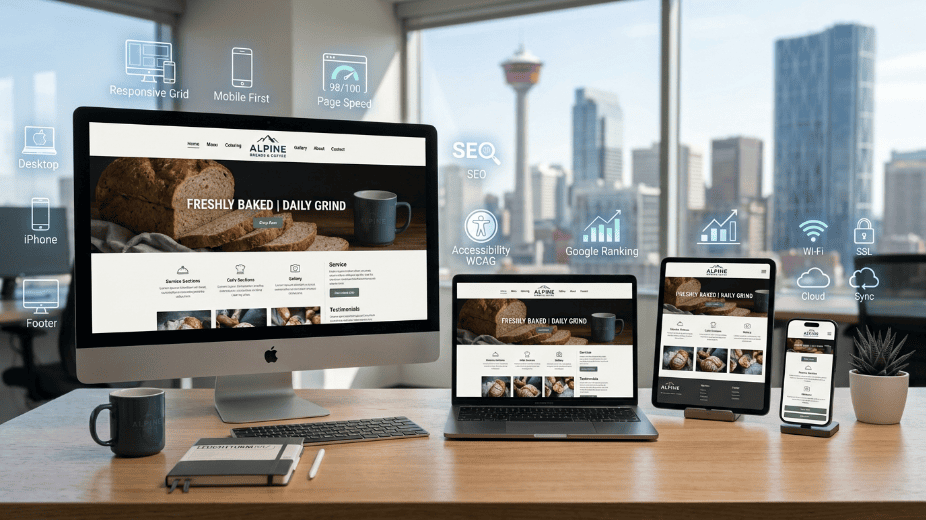
Your website is often the first impression potential customers have of your business. Within seconds, visitors decide whether they trust your company enough to stay, explore your services, or leave and contact a competitor instead.
For many Calgary businesses, a website is no longer just an online brochure. It serves as a digital storefront, sales representative, customer support resource, and lead generation tool all at once. Investing in quality small business website design in Calgary means your site works around the clock helping customers discover your business through Google Search, learn about your services, and take action whenever they’re ready.
As customer expectations continue to rise in 2026, businesses with outdated, slow, or confusing websites are losing valuable opportunities. People expect pages to load quickly, display perfectly on mobile devices, and provide clear information without unnecessary clicks.
This guide explains everything Calgary business owners should know about small business website design, including the essential features of a modern website, common mistakes to avoid, local SEO considerations, design trends, and practical ways to turn more visitors into customers.
What is small business website design?
Small business website design is the process of planning, designing, developing, and optimizing a website that helps a small company attract customers, build trust, showcase services, and generate leads. A successful website combines attractive design, user-friendly navigation, fast performance, mobile responsiveness, search engine optimization, and clear calls to action.
Why Small Business Website Design Matters More Than Ever
Consumer behavior has changed significantly over the past few years. Before contacting a business, most customers search online, compare companies, read reviews, and browse websites.
A website influences decisions long before someone picks up the phone or submits a contact form.
An effective website helps your business:
- Build credibility
- Generate qualified leads
- Improve Google visibility
- Showcase products and services
- Answer customer questions
- Reduce unnecessary phone inquiries
- Increase appointment bookings
- Support digital marketing strategies
- Strengthen your local brand
For Calgary businesses competing in industries like construction, legal services, healthcare, real estate, home improvement, professional services, and retail, a strong online presence can make a measurable difference in revenue.
What Makes a Great Small Business Website in 2026?
A successful website is built around the customer experience rather than visual appeal alone.
Many websites look attractive but fail to convert visitors because they overlook usability, speed, or search optimization.
The best-performing small business websites combine several important elements.
Clear Value Proposition
Visitors should immediately understand:
- What your business offers
- Who you help
- Why customers should choose you
- How to contact you
Confusing headlines often cause visitors to leave within seconds.
Instead of generic statements like: “Welcome to our website.”
Use customer-focused messaging: “Professional Website Design for Calgary Small Businesses That Want More Leads.”
This instantly communicates value.
Mobile-First Design
More than half of website traffic now comes from smartphones.
A mobile-friendly website should include:
- Easy-to-read text
- Clickable buttons
- Responsive layouts
- Fast loading images
- Mobile navigation
- Simple contact forms
Google also prioritizes mobile usability when ranking websites.
Fast Loading Speed
Website speed directly impacts:
- User experience
- Bounce rate
- Search rankings
- Conversion rates
Even a one-second delay can reduce engagement.
Ways to improve speed include:
- Image compression
- Modern image formats like WebP
- Browser caching
- Clean code
- Fast hosting
- Content Delivery Networks (CDNs)
- Lazy loading images
- Reducing unnecessary plugins
A faster website keeps visitors engaged while sending positive quality signals to search engines.
Easy Navigation
Visitors should never have to guess where information is located.
Simple navigation typically includes:
- Home
- About
- Services
- Industries
- Portfolio
- Blog
- Testimonials
- Contact
Avoid overcrowded menus that overwhelm users.
Every additional click increases the chance that someone leaves your website.
Strong Calls to Action
Every page should encourage visitors to take the next step.
Examples include:
- Request a Quote
- Schedule a Consultation
- Book a Discovery Call
- Contact Our Team
- Get a Free Website Audit
- Call Today
Calls to action should appear naturally throughout the page rather than only at the bottom.
Essential Pages Every Small Business Website Needs
A surprising number of businesses focus entirely on their homepage while neglecting the pages that influence purchasing decisions.
Each page serves a different purpose.
Homepage
The homepage introduces your company and guides visitors toward the information they need.
It should include:
- Clear headline
- Service overview
- Customer benefits
- Reviews
- Trust signals
- Call-to-action buttons
- Service areas
- Frequently asked questions
About Page
Customers prefer buying from businesses they trust.
An effective About page shares:
- Company history
- Team experience
- Certifications
- Mission
- Local involvement
- Awards
- Business values
People connect with people—not logos.
Service Pages
Instead of listing every service on one page, create dedicated pages for each offering. This is one of the simplest ways to strengthen both user experience and topical authority each page targets a distinct search intent instead of competing with itself.
For example, a Calgary web design agency could have separate pages built around professional website design services, such as:
- Website Design
- Website Development
- Website Maintenance
- Search Engine Optimization
- Digital Marketing
- E-commerce Development
- Website Redesign
- Local SEO
This approach improves both user experience and search visibility.
Contact Page
Your contact page should make reaching your business effortless.
Include:
- Contact form
- Phone number
- Email address
- Business hours
- Google Map
- Office location
- Social media links
Adding trust indicators such as response times can encourage more inquiries.
Website Design vs Website Development
Many business owners use these terms interchangeably, but they represent different parts of building a website.
|
Website Design |
Website Development |
|
Focuses on appearance |
Focuses on functionality |
|
User experience |
Coding and programming |
|
Layout |
Database integration |
|
Branding |
Website performance |
|
Typography |
Security |
|
Colors |
Interactive features |
Both are essential for creating a website that looks professional and performs reliably. This is also where the template-versus-custom decision comes in many Calgary business owners start on a template to save money, then hit its limits once they need custom SEO structure or advanced features. Our full breakdown of custom website design versus templates walks through the cost, performance, and SEO tradeoffs in detail.
Common Website Design Mistakes Small Businesses Make
Even well-established businesses can lose customers because of avoidable website issues.
Slow Loading Pages
Large images, outdated code, and poor hosting often result in long loading times.
Visitors rarely wait more than a few seconds before leaving.
Weak Headlines
Generic headlines fail to explain what makes your business different.
Every page should answer one question immediately: Why should someone choose your company?
No Local SEO Strategy
Many Calgary businesses forget to optimize for location-based searches.
Instead of targeting only broad keywords like: Website Design
Use location-focused phrases such as:
- Small Business Website Design Calgary
- Calgary Web Design Company
- Website Development Calgary
- Local Business Website Design
- Affordable Web Design Calgary
These keywords better match what local customers search for and improve your chances of appearing in local search results.
Poor Mobile Experience
A website may look perfect on a desktop computer but become frustrating on a smartphone.
Common problems include:
- Tiny buttons
- Text that’s difficult to read
- Images that don’t resize properly
- Horizontal scrolling
- Forms that are hard to complete
Testing your website on multiple devices helps identify and fix these issues before they affect potential customers.
Missing Trust Signals
Visitors need reassurance before they contact a business, especially if they are unfamiliar with your brand.
Effective trust signals include:
- Customer testimonials
- Google reviews
- Industry certifications
- Years in business
- Case studies
- Project portfolios
- Security badges (SSL)
- Clear privacy and contact information
These elements help reduce uncertainty and encourage users to take the next step.
Why SEO and Website Design Must Work Together

A visually appealing website won’t generate consistent traffic if search engines can’t understand or rank its content.
Likewise, a website that ranks well but provides a poor user experience will struggle to convert visitors into customers.
The strongest-performing websites combine thoughtful design with sound SEO services for small businesses, such as:
- Optimized page titles and meta descriptions
- Logical heading structure (H1, H2, H3)
- Fast page speed
- Mobile responsiveness
- Internal linking
- Image optimization with descriptive alt text
- Keyword-focused service pages
- Clear URL structure
- Schema markup where appropriate
When design and SEO support each other, businesses are better positioned to attract qualified traffic and turn visitors into leads.
How Much Does a Small Business Website Cost in Calgary?
One of the first questions business owners ask is, “How much should I budget for a professional website?” The answer depends on your goals, the number of pages, required features, and the level of customization. If your goal is to compete in Calgary’s local search results, investing in quality design and SEO from the beginning often costs less than rebuilding an ineffective website later.
For a deeper breakdown of what different budget tiers actually get you from a basic startup site to a full growth-focused build see our complete website development budget guide for 2026.
Typical Cost Factors
The price of a small business website depends on factors such as:
- Number of pages
- Custom design vs. template
- SEO optimization
- Copywriting
- Photography or custom graphics
- E-commerce functionality
- Booking systems
- CRM integrations
- Ongoing maintenance
- Website hosting
If your goal is to compete in Calgary’s local search results, investing in quality design and SEO from the beginning often costs less than rebuilding an ineffective website later.
Website Design Trends Calgary Businesses Should Follow in 2026
Website trends come and go, but the best websites balance modern design with usability. Chasing every trend can make a website feel outdated quickly, while ignoring current expectations may leave visitors with a poor first impression.
Clean, Minimal Layouts
Modern websites focus on simplicity rather than clutter.
Successful designs feature:
- Plenty of white space
- Clear headings
- Easy-to-read typography
- High-quality images
- Logical content sections
A clean layout helps visitors find information faster and improves readability on all devices.
Interactive Elements
Interactive features encourage users to stay on your website longer.
Examples include:
- Quote calculators
- Service comparison tools
- Interactive maps
- FAQ accordions
- Before-and-after image sliders
- Portfolio galleries
- Live chat
These features improve engagement while making information easier to explore.
Accessibility Matters
Accessible websites serve a broader audience and improve usability for everyone.
Good accessibility practices include:
- High color contrast
- Readable fonts
- Keyboard-friendly navigation
- Alternative text for images
- Descriptive link text
- Proper heading hierarchy
Accessibility also supports SEO by creating a better overall user experience.
Authentic Photography
Customers respond better to real images than generic stock photos.
Consider including:
- Your office
- Team members
- Completed projects
- Company vehicles
- Local Calgary landmarks
- Behind-the-scenes photos
Authentic visuals build credibility and help visitors connect with your business.
Local SEO and Website Design Go Hand in Hand
A beautiful website won’t generate leads if local customers can’t find it.
Local SEO for Calgary businesses helps your website appear when people search for services in your area. For Calgary businesses, this means optimizing for location-specific keywords and creating content that demonstrates local expertise.
Local SEO Best Practices
- Include Calgary naturally throughout your website.
- Create dedicated service pages for each service.
- Add location pages if you serve surrounding communities.
- Embed a Google Map on your contact page.
- Display consistent business information across your website.
- Encourage customers to leave Google reviews.
- Use Local Business Schema.
- Optimize title tags and meta descriptions.
- Build quality local backlinks.
- Publish helpful blog content targeting customer questions.
Together, these efforts improve your chances of appearing in Google’s local search results.
Why Website Maintenance Should Never Be Ignored
Launching your website isn’t the finish line, it’s the starting point.
Without regular maintenance, websites gradually become slower, less secure, and less effective. This is why most agencies, including our website maintenance services, treat maintenance as an ongoing plan rather than a one-time fix.For a complete task-by-task breakdown you can follow month to month, see our full website maintenance checklist for small businesses.
Ongoing Maintenance Checklist
- Update WordPress core
- Update plugins
- Update themes
- Fix broken links
- Monitor website uptime
- Test contact forms
- Backup files regularly
- Improve page speed
- Refresh outdated content
- Monitor Google Search Console
- Review Google Analytics data
- Check Core Web Vitals
Routine maintenance protects your investment and helps maintain strong search rankings.
Measuring Website Success

A successful website does more than attract visitors it generates meaningful business results.
Instead of focusing only on traffic, monitor key performance indicators (KPIs) that reflect user engagement and conversions.
Important Website Metrics
|
Metric |
Why It Matters |
|
Organic Traffic |
Shows how many visitors come from search engines |
|
Conversion Rate |
Measures how many visitors become leads or customers |
|
Bounce Rate |
Indicates whether visitors are finding relevant information |
|
Average Engagement Time |
Reflects content quality and user interest |
|
Contact Form Submissions |
Tracks lead generation |
|
Phone Calls |
Measures direct customer inquiries |
|
Keyword Rankings |
Shows SEO progress over time |
|
Core Web Vitals |
Evaluates speed and user experience |
Review these metrics monthly to identify opportunities for improvement.
How to Choose the Right Website Design Partner
Not every web design agency delivers the same level of quality.
Before hiring a company, ask questions such as:
- Can you show recent projects?
- Do you include SEO during development?
- Will my website be mobile-friendly?
- Is the design custom or template-based?
- Who owns the website after launch?
- Will you provide ongoing support?
- How do you improve page speed?
- What security measures do you implement?
- Can you help with content creation?
- How do you measure success?
A reliable partner should explain their process clearly and focus on achieving your business goals not just creating an attractive website.
Final Thoughts
A professional website is one of the most valuable marketing assets a small business can own. It works around the clock, helping customers discover your services, learn about your company, and take action when they’re ready.
For Calgary businesses, success depends on much more than visual appeal. A high-performing website combines thoughtful design, fast loading speeds, mobile responsiveness, local SEO, valuable content, and a clear path to conversion.
As customer expectations continue to evolve in 2026, businesses that regularly improve their websites will be better positioned to earn trust, rank higher in search results, and generate consistent leads. Rather than treating your website as a one-time project, think of it as a long-term investment that grows alongside your business.