

Website Redesign vs New Website: How to Choose the Right Path
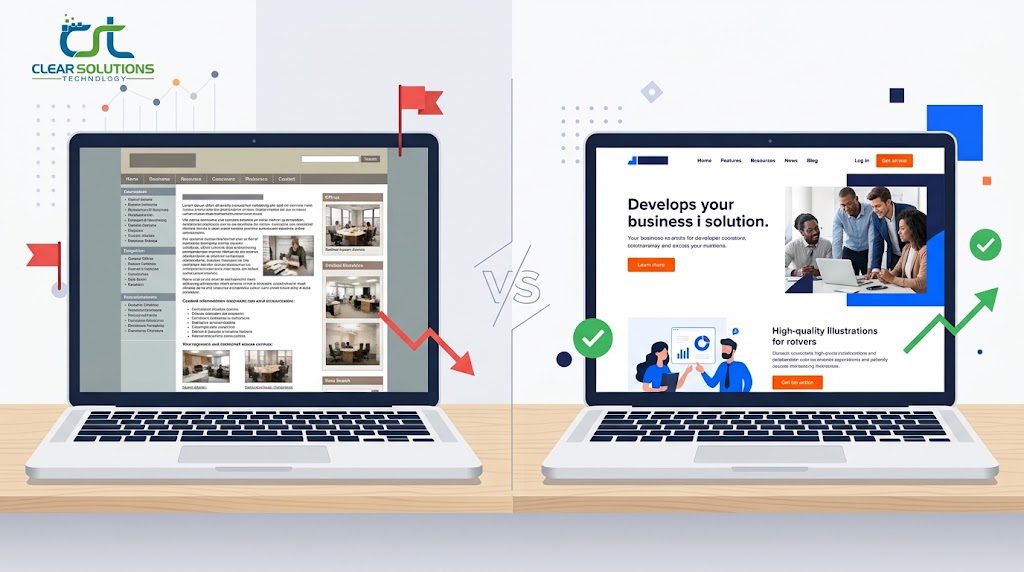
Your website feels tired. Maybe it loads slowly, looks dated, or stopped bringing in leads a while ago. Now you’re facing a big question: should you update what you have or start from scratch?
The website redesign vs new website debate comes up for almost every business at some point. The right answer depends on your goals, your budget, and the condition of your current site, not on what an agency wants to sell you.
This guide walks you through the differences, the warning signs, the real costs, and the SEO risks. By the end, you’ll know which direction makes sense for you.
What’s the Difference Between a Redesign and a New Website?
People use these terms loosely, so let’s define them.
A redesign improves your existing site. The foundation stays in place: the platform, most of the content, and the URL structure. You change how things look, how they’re laid out, and how visitors move through the pages.
A new website replaces the old one. You rebuild the structure, the platform, the design, and often the content. It’s a fresh start.
What a Redesign Usually Includes
A typical redesign covers:
- A modern visual style, including fonts, colors, and imagery
- Better navigation and page layouts
- Mobile responsive improvements
- Faster load times through image and code cleanup
- Updated copy on key pages
- Stronger calls to action
Your site structure and most URLs usually stay the same. That’s a big reason redesigns carry less SEO risk.
What a New Website Usually Includes
A new build goes deeper:
- A new content management system (CMS) or platform
- A new site architecture and page hierarchy
- Fresh branding or messaging
- New functionality, such as booking, e-commerce, or customer portals
- Rewritten or restructured content
- A full technical rebuild with clean code
You get more freedom, but you also take on more work, more cost, and more risk if the migration isn’t handled well.
Where Does a Website Refresh Fit?
The website refresh vs redesign question confuses a lot of people. Think of a refresh as the lightest option. You might swap photos, update colors, rewrite a few pages, and fix a few broken elements. A redesign changes layout and user experience in a more meaningful way.
Here’s a quick comparison of all three:
| Refresh | Redesign | New Website | |
|---|---|---|---|
| Scope | Cosmetic updates | Layout, design, UX | Full rebuild |
| Platform | Same | Usually same | Often changes |
| URL changes | Almost none | Few | Many possible |
| SEO risk | Very low | Low to moderate | Moderate to high |
| Typical time | 1 to 3 weeks | 4 to 8 weeks | 8 to 16 weeks |
| Best for | Slightly dated sites | Sound sites with poor UX | Broken or outgrown sites |
Signs You Need a New Website
Some problems can’t be fixed with a fresh coat of paint. If several of these sound familiar, a rebuild is probably the smarter move.
- Your platform is outdated or unsupported. If your CMS no longer gets security updates, you’re carrying real risk.
- Every small change is painful. If editing a page takes a developer and a week, the foundation is working against you.
- The site isn’t mobile friendly. Patching a non-responsive layout often costs more than rebuilding it properly.
- Your business changed. New services, new audiences, or a rebrand can make the old structure useless.
- Security issues keep returning. Repeated hacks or malware usually point to deeper technical problems.
- Speed is a constant struggle. Bloated themes and layered plugins can’t always be fixed with tweaks.
- You need features your site can’t support. Bolting on tools to a weak foundation usually creates more problems.
If your site looks old but the structure, content, and platform are solid, you probably don’t need a new website. You need a smart redesign.
Signs a Redesign Is Enough
A redesign is usually the right call when:
- Your traffic is steady, but visitors leave quickly
- Your content is good, but the layout buries it
- Your branding is fine, but the design feels dated
- Your platform is current and easy to manage
- You already rank for valuable keywords and want to protect that
When to Redesign a Website
Many businesses wait too long. Others redesign too often. A good rule is to review your site every year and plan a redesign every two to three years. Technology and visitor expectations move quickly.
Don’t redesign just because you’re bored of the look. Redesign when there’s a business reason:
- Conversions have dropped
- Bounce rates are climbing
- Competitors look far more professional
- Your site fails basic usability checks
- You’ve added services or changed your positioning
- Your analytics show people struggling to find key pages
Not sure where you stand? That’s where an audit comes in.
Run a Website Audit Before Redesign
A website audit before redesign saves you money and prevents guesswork. It tells you what’s working, what’s broken, and what you should never touch.
A solid audit looks at:
- Traffic and conversions. Which pages bring visitors, and which ones turn them into leads or sales?
- Keyword rankings. Which pages rank today? These are your SEO assets.
- Technical health. Check page speed, broken links, crawl errors, and security.
- Content quality. Find thin, outdated, or duplicate pages.
- User experience. Review heatmaps, session recordings, and mobile behavior.
- Backlinks. Know which pages other sites link to so you can protect them.
The audit often answers the whole question. If the technical foundation is healthy, redesign. If it’s crumbling, rebuild.
A professional SEO audit and optimization service can uncover issues you’d never spot on your own, such as hidden indexing problems or pages quietly draining your rankings.
Website Redesign or Rebuild? A Simple Decision Framework
If you’re still torn on website redesign or rebuild, answer these five questions honestly.
1. Is your current platform worth keeping?
If it’s modern, secure, and flexible, keep it. If not, rebuild.
2. How much of your content still works?
If most pages are solid, redesign. If most need rewriting, a new site might be easier.
3. Do your rankings matter?
If organic search drives much of your business, lean toward a redesign or a very carefully managed rebuild.
4. Are your goals changing?
A new business model usually needs a new structure.
5. What’s your budget and timeline?
Redesigns cost less and finish faster. Rebuilds cost more but solve deeper problems.
If you answered “keep” or “redesign” to most of these, go with a redesign. If most answers pointed to “rebuild,” a new website will likely pay off.
Website Redesign Cost vs New Website Cost
Price is where most people want answers first. Costs vary a lot based on size, features, and who builds it, so treat these as rough ranges for small to mid-sized business sites.
| Project Type | Typical Range |
|---|---|
| Website refresh | $1,000 to $4,000 |
| Website redesign | $3,000 to $15,000 |
| New website (small business) | $5,000 to $30,000 |
| Custom or e-commerce build | $15,000 to $75,000+ |
Your quote could land outside these ranges. Number of pages, custom features, integrations, content creation, and ongoing support all move the price.
Is It Cheaper to Redesign or Rebuild a Website?
In most cases, a redesign is cheaper. You’re reusing the platform, structure, and much of the content, so there’s less to build.
But cheaper upfront doesn’t always mean cheaper overall. If you pour money into redesigning a site on a broken foundation, you’ll pay again within a year or two. Sometimes the cheaper long term choice is the rebuild.
Costs People Forget
Watch for these extras:
- Professional copywriting and photography
- Content migration
- SEO setup and redirect mapping
- Third-party plugin or software licenses
- Training for your team
- Ongoing hosting, security, and updates
That last item matters more than most owners expect. A new site still needs care. A dedicated website maintenance service keeps your site secure, fast, and backed up so your investment doesn’t slowly decay. If you’re still weighing budgets, our guide on how much a business website costs breaks down pricing in more detail.
Website Redesign ROI: Is a Website Redesign Worth It?
Is a website redesign worth it? Yes, when it’s tied to clear goals. Not when it’s done for looks alone.
A redesign can pay off through:
- More conversions. Clearer layouts and stronger calls to action turn more visitors into leads.
- Lower bounce rates. Faster, easier pages keep people around.
- Better search visibility. Improved speed and mobile experience support rankings.
- Stronger trust. A professional site reassures new customers.
- Lower support load. Clear information means fewer repetitive questions.
To estimate website redesign ROI, start with your current numbers. Say your site gets 2,000 visits a month and converts 1 percent, which is 20 leads. If a redesign lifts conversion to 2 percent, that’s 40 leads from the same traffic. If each lead is worth $200, you’ve added $4,000 a month in potential revenue.
Set your targets before you start. Track conversion rate, organic traffic, page speed, and form submissions before and after launch. Without a baseline, you can’t prove the project worked.
Website Redesign SEO: How to Avoid Losing Rankings
This is the part that scares people, and for good reason. A careless project can wipe out years of SEO progress. A careful one can improve it.
The good news is that traffic drops after a redesign are mostly preventable. Here’s how to redesign a website without losing SEO.
Before You Build
- Record your baseline. Export your rankings, traffic, and top pages.
- Crawl your current site. Save every URL, title tag, meta description, and heading.
- Identify high value pages. Pages that rank well or earn backlinks need extra protection.
- Keep what works. If a page ranks well, don’t rewrite it from scratch without a reason.
During the Build
- Keep URLs the same where possible. Fewer changes mean less risk.
- Set up 301 redirects. If a URL must change, redirect the old address to the closest new match. Never send everything to the homepage.
- Preserve on page SEO. Carry over titles, descriptions, headings, and internal links.
- Build on a staging site. Block it from search engines so it doesn’t get indexed early.
- Check mobile and speed. Google uses mobile first indexing, so your mobile version matters most.
Google publishes clear guidance on this. Their documentation on site moves with URL changes is worth reading before launch, especially if your project changes your structure or domain.
After Launch
- Submit your updated sitemap in Google Search Console
- Test every redirect
- Look for crawl errors and 404 pages
- Monitor rankings and traffic weekly for the first two months
- Fix problems quickly
Expect small fluctuations in the first few weeks. That’s normal. A steep, lasting drop usually means something was missed, like broken redirects or accidental noindex tags.
A team that understands both design and search can help here. Our website design and development service builds SEO into the project from day one instead of treating it as a cleanup job afterward.
The Website Redesign Process Step by Step
Whether you redesign or rebuild, the website redesign process follows a similar path.
- Set goals. Decide what the site must achieve, such as more leads, online sales, or better brand perception.
- Audit the current site. Review performance, SEO, content, and user behavior.
- Research your audience and competitors. See what your customers want and what others in your space do well.
- Plan the structure. Build a sitemap and decide which pages stay, merge, or go.
- Create wireframes. Sketch page layouts before any visual design begins.
- Design the look. Apply branding, typography, and imagery.
- Write and organize content. Update copy for clarity and search intent.
- Develop the site. Build it, then test forms, speed, and mobile views.
- Test everything. Check browsers, devices, links, and redirects.
- Launch. Go live, submit your sitemap, and monitor closely.
- Measure and improve. Compare results against your baseline.
Website Redesign Checklist
Use this checklist before you hit publish:
- Goals and success metrics documented
- Full crawl and URL list saved
- Top ranking pages identified
- 301 redirect map created and tested
- Title tags and meta descriptions carried over
- Image alt text preserved
- Mobile layout tested on real devices
- Page speed tested
- Forms and tracking tested
- Analytics and Search Console connected
- SSL certificate active
- Staging site blocked from search engines, then unblocked at launch
- Backups set up
- Sitemap submitted after launch
How Long Does a Website Redesign Take?
Many people ask how long a website redesign takes, and they’re often surprised. The honest answer is that it depends on scope. A new build usually takes longer because there’s more to create.
| Project Type | Typical Timeline |
|---|---|
| Refresh | 1 to 3 weeks |
| Redesign (small site) | 4 to 8 weeks |
| Redesign (larger site) | 8 to 12 weeks |
| New website | 8 to 16 weeks |
| Complex or e-commerce | 4 to 6 months |
Delays rarely come from the design itself. They come from slow feedback, late content, and changing requirements. Gather your text, images, and approvals early, and your project will move faster.
If you’re wondering how long it takes to build a new website, plan on at least two to four months for a quality result. Rushing leads to expensive fixes later.
Pros and Cons: Redesign vs New Website
| Redesign | New Website | |
|---|---|---|
| Pros | Lower cost, faster timeline, lower SEO risk, familiar platform | Clean foundation, full flexibility, better long term performance, room for new features |
| Cons | May carry old technical problems, limited by current platform | Higher cost, longer timeline, higher migration risk, more content work |
Neither option is better in every case. The better choice is the one that matches your situation.
Common Mistakes to Avoid
Over the years, the same mistakes show up again and again.
- Redesigning without data. Opinions about colors are not a strategy.
- Ignoring SEO until launch. By then, damage may already be done.
- Deleting old pages without redirects. This creates broken links and lost rankings.
- Choosing design over usability. A beautiful site that confuses visitors still fails.
- Skipping mobile testing. Most of your visitors may be on phones.
- Forgetting content. A new design can’t rescue weak or missing copy.
- Having no maintenance plan. Sites need updates, backups, and monitoring after launch.
- Chasing trends. Fancy animations can hurt speed and clarity.
How to Choose Website Redesign Services
If you decide to hire help, look closely at who you’re hiring. Good website redesign services should:
- Start with an audit, not a sales pitch
- Explain their SEO migration process clearly
- Show real examples of past projects with results
- Be honest about whether you need a redesign or a rebuild
- Offer clear pricing and timelines
- Provide support and maintenance after launch
Be careful with anyone who promises a new website in a week or guarantees rankings. Good work takes planning, and honest providers will tell you when a smaller project is enough.
Want a second opinion on your own site? You can talk to the Clear Solutions IT team about your goals, and we’ll tell you plainly whether a redesign or a rebuild makes more sense. For ongoing visibility after launch, our post on technical SEO basics for small business websites is a helpful next read, and so is our website maintenance checklist.
Conclusion: Redesign or Rebuild?
The website redesign vs new website decision comes down to the health of your foundation and your goals. If your platform is solid and your content still works, a redesign will usually give you the best return for the money. If your technology is outdated, your structure no longer fits your business, or your site fights you at every turn, a new website is the better long term investment.
Whichever way you go, start with an audit, protect your SEO, and set clear goals before you draw the first design. Plan for maintenance, too, so your site stays fast and secure.
Not sure which path fits your business? Contact Clear Solutions IT for an honest review of your site and a clear recommendation, with no pressure and no guesswork.
es. Most redesigns keep the same domain, and many keep the same page URLs too. That’s one of the biggest advantages of a redesign. Keeping your domain and key page addresses protects rankings and the trust you’ve built with search engines.
It can, but it doesn’t have to. Problems usually come from broken redirects, lost content, changed page titles, or slower load times. With a proper plan, many sites actually gain rankings after a redesign because speed and usability improve.
Keep your best performing content, your high ranking URLs, and pages with strong backlinks. Also keep your tracking setup, trusted testimonials, and any content that clearly drives leads or sales. Change what’s broken, not what’s working.
Usually not. You can launch a completely new site on your existing domain. A domain change only makes sense for a rebrand, and it needs careful redirects and Search Console updates. Otherwise, keep your domain.
Plan for small updates monthly and a bigger review every year. That includes software updates, security checks, content refreshes, and speed tests. Ongoing care is much cheaper than another full rebuild.
It depends on your needs. Builders like Wix or Squarespace can work for simple sites with tight budgets. If you need custom features, strong SEO control, or room to grow, a professional team will serve you better over time.